
Payload preparation
Select the files, enable any additional protection and define the operational or permanent duration.
Select the files, enable any additional protection and define the operational or permanent duration.

MegaFile Plus is the platform for sensitive transfers: AES-256 encryption, access via link-key and full lifecycle management of files, up to permanent retention.
MegaFile Plus is the platform for sensitive transfers: AES-256 encryption, access via link-key and full lifecycle management of files, up to permanent retention.
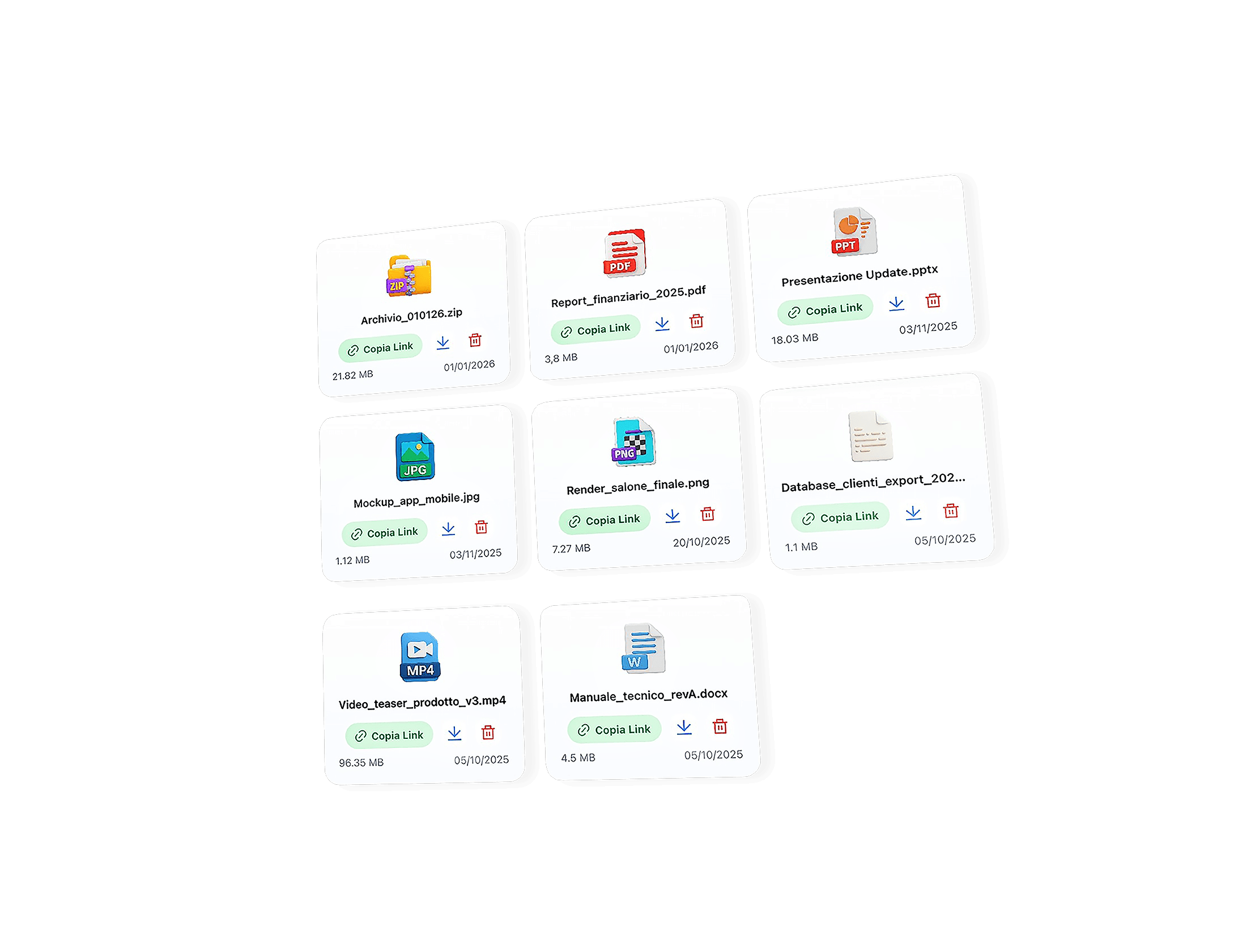
Transfer and manage sensitive data with client-side encryption, controlled access and operational tracking.
With MegaFile you can transfer files of any size without artificial restrictions and without forced compression. Whether it is videos, archives or complex projects, you have the freedom to share heavy content easily, maintaining quality and data integrity.
Your files are protected with AES-256 encryption already during the upload phase and remain secure throughout their presence in the system. You can add a password to create protected archives and ensure that only authorized recipients can access the shared content.
Send the link via integrated email system (@megafile.it) with download notification and full control over distribution.
Choose between temporary duration or Always mode: files can be automatically deleted or retained without expiration.
Send large files online with maximum security. Three modes, designed for every need.

Simple sending, without registration

Manage files in a personal space

Files encrypted with key integrated in the link
Guides, news and tips on secure file sharing and online file management.

Negli ultimi mesi MegaFile ha introdotto alcuni dei cambiamenti più significativi dalla nascita del progetto. L'obiettivo, tuttavia, è ri...

Ti è mai capitato di inviare un’email e ricevere subito dopo un messaggio automatico con scritto “Mail Delivery Subsystem” o “Undelivered...

MegaFile - piattaforma italiana specializzata nell’invio file grandi dimensioni e nella condivisione file sicura - rappresenta un modello...
MegaFile Plus is designed to handle large files without predefined rigid limits, overcoming the typical restrictions of email attachments or many traditional cloud platforms.
Unlike other services, the system does not impose artificial thresholds, but dynamically adapts to connection quality and device capacity.
This approach makes MegaFile Plus particularly suitable for professional transfers, such as video archives, datasets or complex backups.
MegaFile Plus uses a client-side end-to-end encryption system, which means that files are encrypted directly in the browser before upload.
Security does not depend on the server, but on the fact that the data is never available in readable form outside the user’s device.
This model eliminates at the root many risks related to breaches, internal access or external requests.
In MegaFile Plus, the link is not just a URL: it also contains the key required to decrypt the file.
This system drastically reduces complexity and increases security, eliminating server-side passwords and accounts.
Payment occurs only after the upload is completed, when the file is already ready and the link has been generated.
This completely eliminates the typical constraints of cloud services, making the system more transparent and predictable.
During link creation it is possible to choose the availability duration of the file.
The possibility of permanent retention allows MegaFile Plus to also be used as a stable distribution point.
If you select the no-expiration option, the file remains accessible over time through the same link.
This mode is ideal for content distributed over the long term.
MegaFile integrates an advanced system that allows direct sending of files via dedicated emails with the @megafile.it domain, enabling a simple message to be transformed into an automatic upload to the platform.
In practice, the file attached to the email is automatically received by MegaFile servers, securely uploaded and converted into a shareable link which is then sent to the recipient. This system completely eliminates the need to manually access the site or use traditional upload interfaces.
The main advantage is simplicity: just send an email to obtain immediate sharing, while maintaining security and speed in data transfer.
File uploading on MegaFile takes place directly via a web browser, without the need to install software or additional applications, ensuring immediate access from any device.
This process is designed to be fast, intuitive and secure, ensuring that files are protected from the very first moment and ready to be shared in just a few seconds.
Access to files is based exclusively on possession of the complete link generated at the time of upload. Anyone who has this link can view or download the content.
There are no mandatory accounts or login systems: security is based on the complexity and uniqueness of the link itself. This approach makes sharing extremely simple, but requires careful management of the link to avoid unauthorized access.
No, downloads are not subject to numerical limits: the file can be downloaded an unlimited number of times for the entire validity duration of the link.
This means you can share the same file with multiple people without worrying about restrictions or blocks. The only constraint is the duration of the link itself, after which the file will no longer be available.
If the link is lost, the file effectively becomes unrecoverable, since MegaFile does not maintain associations between files and users (as registration is not required).
This approach is consistent with a privacy-oriented philosophy: since there are no accounts or personal archives, there is no system to recover lost links. It is therefore essential to keep the link safely if you wish to access the file again.
No, MegaFile is designed to operate completely without registration or account creation.
This allows the service to be used immediately and anonymously, without providing personal data. The absence of accounts also reduces the risk of tracking or storage of user information, making the system particularly privacy-oriented.
Yes, it is possible to further protect files by using compressed archives (such as ZIP) with a password before uploading.
In this way, even if someone obtains the link, they will not be able to access the content without knowing the password. This solution adds an additional layer of security, particularly useful for sensitive or confidential data.
MegaFile differs from services like WeTransfer or Google Drive primarily in its approach to security and data management.
It uses a client-side encryption system, which means that files are encrypted before they are even sent to the servers. As a result, the service does not have access to the contents of the uploaded files.
Furthermore, it does not require accounts, does not maintain permanent archives and does not offer file management features typical of traditional cloud platforms, instead prioritizing simplicity, anonymity and immediate sharing.
The main advantage of MegaFile is the balance between security, simplicity and freedom of use.
Users can share files quickly without registration, while maintaining a high level of protection thanks to encryption and autonomous link management.
In summary, MegaFile offers a flexible and immediate system, ideal for those who want to send files quickly, securely and without the typical constraints of traditional platforms.